Friday, September 12, 2008

Adobe Reader 9.0

Play back embedded movies, animation and sound. Activate accessibility features built into PDF files. View Adobe Photoshop® Album slide shows and electronic cards. Read and organize digital editions (formerly eBooks).
Publisher: Adobe Systems Inc. (14 other programs)
OS Support: Windows Vista/98/Me/2000/XP/2003
License: Freeware
Date added: 11/15/2006
Last Update: 08/26/2008
Size: 33.5 MB


Download Adobe Reader 9.0

Windows Vista Transformation Pack 8.0.1


Do you like how Windows Vista looks like, but you have Windows XP? Now you have the opportunity to transform your Windows XP or Windows 2003 Server's interface into a Windows Vista interface. Vista Transformation Pack allows you to change and customize your Start menu, Desktop, and Taskbar.

A lot of skins are available for you to choose from. There also is a docking Sidebar which contains a Memo text feature, clock, organizer, picture slide show. The installation process backs up your original system files, so that they can be completely restored in case you want to go back to the classical Windows GUI.

One of the nice features of this desktop enhancement utility is the battery meter that is displayed on the right side by default. Every gadget that is displayed by default on the sidebar, can be dragged wherever you like on the screen.

Changes in Version 8.0:

-Added CPU Speed information in Welcome Center
-Added saving setup information file to save setup configuration for later uses with unattended transformation support
-Added installation background
-Added "System optimized" in Setup Configuration to configure the user account corresponding to machine's spec
-Added TrueTransparency 0.8.5 (Glass border with ported AeroStyle skin)
-Added WinFlip 0.42 (Vista 3DFlip)
-Fixed KB925902 hotfix issues with file processing animation
-Fixed Media Center program execution error
-Fixed rebuilding icon cache bug on non-current users during the processes
-Fixed Styler's installation checking bug (always set toolbar to styler mode when possible)
-Fixed failing to apply Vista screensaver
-Fixed program name in Add/Remove Programs
-Fixed subscribing Windows X's shrine to be default homepage bug in Welcome Center
-Fixed visualtooltip's advanced configuration bug
-Fixed WindowBlinds 6 skin installation compatibility
-Moved hotfix warning to user guide file to prevent confusion
-Re-arranged welcome dialog for richer information
-Replaced Extras in Welcome Center with Community link to forum
-Removed configuring user account's status report
-Removed obsolete dialogs (WindowBlinds warning, Before transformation, Donation, FAQ and Q&A)
-Removed Vista Live Messenger 8.1 skin
-Updated Setup Configuration in Welcome Center to cover on everything
-Updated setup transformation to pre-configure current user account before finishing the transformation
-Updated theming engine configuration
-Updated Vista Sidebar to version 2.3 Lite
-Updated Vista Sidebar user account configuration in Welcome Center
-Updated ViStart to build 2661
-Updated ViOrb to version 2.0
-Updated VisualTooltip to version 2.2
-Updated Welcome Center to pre-configure user account with system optimized option on the first run in that user account

Changes in Version 8.0.1:
-Fixed pre-configuration specifications to improve performance (Removed unstable applications from list)
-Fixed TrueTransparency's stability (some settings in skin causing input hook problems)
-Fixed Visualtooltip configuration when user accidently deletes the configuration files in there
-Removed backup files' status and put CPU model instead (obsolete checking)
-Updated system files' status report to "Out of sync" and repairing system files information
-Updated user account configuration system for more subtle performance


Download Windows Vista Transformation Pack 8.0.1

K-Lite Codec Pack Full 3.4.7 Beta

K-Lite Codec Pack is a collection of codecs and related tools. Codec is short for Compressor-Decompressor. Codecs are needed for encoding and decoding (playing) audio and video. The K-Lite Codec Pack is designed as a user-friendly solution for playing all your movie files. With the K-Lite Codec Pack you should be able to play all the popular movie formats and even some rare formats.

The K-Lite Codec Pack has a couple of major advantages compared to other codec packs:

* It it always very up-to-date with the latest versions of the codecs.
* It is very user-friendly and the installation is fully customizable, meaning that you can install only those components that you really want.
* It has been very well tested, so that the package doesn´t contain any conflicting codecs.
* It is a very complete package, containing everything you need to play your movies.
* There are 3 packages available: Basic, Standard, and Full.

This Full Pack contains even more codecs. It also has encoding support for various formats. This package is for power users and people who do their own encodings

Download K-Lite Codec Pack Full 3.4.7 Beta
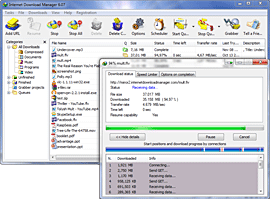
Internet Download Manager 5.14

Accelerate downloads by up to 5 times, schedule downloads, recover and resume downloads. IDM will increase your download speed by using smart dynamic file segmentation logic. IDM has an Internet Grabber to download all pictures from a web site, or complete web sites for offline browsing. IDM features unique integration into all browsers, Vista compatibility, speed limiter, FLV grabber to download FLV files from Youtube, MySpaceTV, GoogleVideo etc
System Requirements
Windows 95/98/ME/NT/2000/XP/2003/VISTA

What's new
Complete Vista support, completely redeveloped scheduler, YouTube grabber that download FLV videos from YouTube, Google Video, MySpaceTV and other popular sites, MMS protocol support, speed limiter and the site grabber feature.


Download Internet Download Manager 5.14

Joomla! 1.5.4

Joomla! is a powerful Open Source Content Management System for building professional web sites easily. It is often the system of choice for small business or home users who want a professional looking site that's simple to deploy and use. Joomla! is different from the normal models for content management software. For a start, it's not complicated. Joomla! has been developed for everybody, and anybody can develop it further.

System Requirements
Apache 1.3, PHP 4.3.10, MySQL 3.23

What's new
Page titles now follow more consistent rules; Banners can handle Flash items; Several OpenID improvements; Added content triggers; Help screens updated

Download Joomla! 1.5.4

Open Office 3.0 RC 1Beta

OpenOffice is the productivity suite that individuals, governments, and corporations around the world have been expecting for the last two years. Easy to use and fluidly interoperable with every major office suite, OpenOffice realises the potential of open source.
With new features, advanced XML capabilities and native support for the OASIS Standard OpenDocument format, OpenOffice gives users around the globe the tools to be engaged and productive members of their society.
Download it now. If it is not ready today in your language, it will be shortly. OpenOffice is yours.

OpenOffice.org 2.0 Features:
-Open Standards XML File Format (OASIS OpenDocument);
-New Multi-pane View;
-New CustomShapes (compatible with Microsoft AutoShapes);
-More Slide Transitions and Animation Effects;
-Enhanced PDF Export;
-New enhanced Database Frontend;
-Mail Merge Wizard;
-Enhanced Word Count Feature;
-Support for Nested Tables;
-Digital Signatures Support;
-XForms Support;
-WordPerfect Filters;
-65,536 Rows in Calc;
-Enhanced PivotTable Support;
-Native Installers;
-Native Desktop Integration;
-Floating Toolbars;
-Support, Services and Solutions.

System Requirements:
-128 Mbytes RAM ;
-200 Mbytes available disk space ;
-800 x 600 or higher resolution with at least 256 colors .


Download Open Office 3.0 RC 1Beta

Mozilla Firefox 3.0.1

The latest release for Internet browsing, brought to you by Mozilla, looks good, acts nicely, and is a user-friendly application.

Considering the tabbed interface, which can be reordered via drag-and-drop, the fast browser navigation with improvement to back and forward button performance, the built-in popup blocking tool, the spell checker for web-based text input forms and all the improvements in product stability, we may say that Mozilla Firefox is a competitive product on the market. Lately, more and more people choose Firefox over similar web browsers due to its ease of use, improved protection, and the fact that it's easy to write and use plugins.

There are 6 search engines included by default in the search toolbar, but you can add many other search engines by using the "Manage Search Engines" window. It's possible to customize Mozilla Firefox with lots of themes, extensions such as FoxGame, TiVo Community Forums Menu, R-kiosk, repagination, eMessenger Sidebar, autositemap, and so on.
Firefox 3 also comes with a powerful set of tools for developers including powerful JavaScript and CSS error/warning/rendering console and a quality feedback agent for reporting Firefox crash information.

When first starting the application you can import options, bookmarks, history, passwords, and other similar data from other Internet browsers that are already installed on your computer. Application, extension, and search engine updates are now pushed to the background. The application only asks you whether you want to install these updates. The built-in download manager is an excellent solution for downloading your favorite applications or multimedia files.

Pluses: Lots of great features make Mozilla fully customizable, easy to use, and proficient for browsing and visualizing online multimedia content. Newly implemented anti-phishing, browser session saving/restoration, support for client-side session and persistent storage, ability to re-open accidentally closed tabs are only some of the features implemented into the 3 version. Mozilla Firefox is also available for Mac OS and Linux.

Some of the other new features worth mentioning are the inline spell checker, access to Live Titles (dynamic bookmarks), and the browser's ability to preview and subscribe to Web feeds.

Drawbacks / flaws: High memory usage is reportedly one of the drawbacks of Mozilla Firefox.

In conclusion: Newly implemented features and lots of plugins allow you to customize Mozilla Firefox. Overall Firefox is a very good Web browser.
3.

Mozilla Firefox Publisher's Description

Stop annoying popup ads in their tracks with Firefox's built in popup blocker.
View more than one web page in a single window with this time saving feature. Open links in the background so that they're ready for viewing when you're ready to read them.
Built with your security in mind, Firefox keeps your computer safe from malicious spyware by not loading harmful ActiveX controls. A comprehensive set of privacy tools keep your online activity your business.
Google Search is built right into the toolbar, and there is a plethora of other search tools including Smart Keywords (type "dict " in the Location bar), and the new Find bar (which finds text as you type without covering up anything).
Firefox comes with a standard set of developer tools including a powerful JavaScript and CSS error/warning console, and an optional Document Inspector that gives detailed insight about your pages.

System Requirements
Pentium 233 MHz (Recommended: Pentium 500MHz or greater); 64 MB RAM (Recommended: 128 MB RAM or greater); 52 MB hard drive space

What's new
Several security fixes and improvements to stability।

Download Mozilla Firefox 3.0.1

Our Sponsor


My Blog List

Followers

FREE DOWNLOAD SOFTWARE Copyright © 2009 Blogger Template Designed by Bie Blogger Template